




A reliable and fast network infrastructure is the foundation of almost every modern commercial operation. From processing simple transactions to managing massive data sets in the cloud, the speed at which information travels can dictate daily productivity. Choosing the right category cable is a fundamental decision when you're upgrading an existing system or installing new low-voltage wiring for the first time.
The choice between different cabling standards often involves more than just looking at the price tag or the promised speed. You've got to consider technical differences, real-world use cases, and the specific performance thresholds that your business requires to stay competitive. Understanding the mechanics of these telecommunications systems is the first step toward building a reliable digital infrastructure for your facility.
Understanding the Role of Category Cables in Commercial Networks
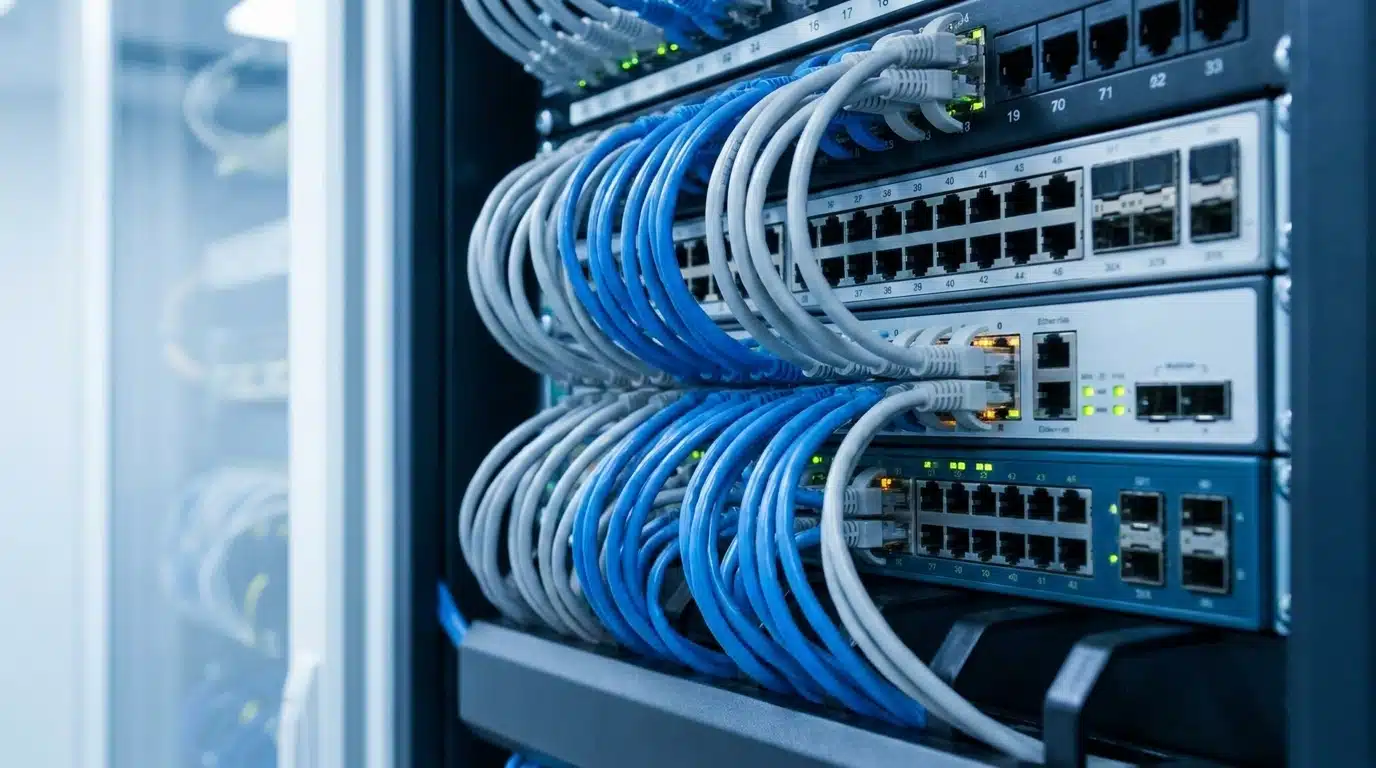
Modern commercial environments rely on standardized structured cabling components, such as network switches and patch panels, to handle the vast majority of their internal data traffic. Both Cat5e and Cat6 are unshielded twisted-pair (UTP) copper cables that meet strict IEEE telecommunications industry standards. While they look similar to the naked eye, they’re engineered to meet the bandwidth demands of different eras in digital communication.
The Evolution of Commercial Network Speeds
Commercial network requirements have shifted dramatically over the past twenty years as digital tools became central to every industry. Early office networks were designed to handle relatively light tasks such as sending basic emails and occasional web browsing. These operations required very little bandwidth, making simpler cabling standards perfectly adequate for the average workspace.
As businesses began adopting cloud computing, high-resolution video conferencing, and unified communications, the demand for data grew exponentially. Modern companies now frequently move large files across their internal networks and rely on real-time data syncing to maintain operations. The shift toward unified communications has pushed the standard requirement from basic connectivity to reliable gigabit Ethernet speeds.
Internal cabling infrastructure must keep pace as internet service providers continue to offer faster Cat5e cables for network speed to the building. If the wiring inside your walls can’t handle the data coming through the modem, you’ll experience network latency exceeding 100ms. Upgrading your cabling ensures that your team can actually utilize the high-speed services you’re paying for every month.
What Is Cat5e Ethernet Cable?
Category 5 Enhanced, commonly known as Cat5e, arrived as a significant upgrade to the original Category 5 standard. The Cat5e standard reduces crosstalk between copper pairs. The reduced crosstalk allows the cable to support speeds up to one gigabit per second over a total distance of 100 meters.
The physical construction of Cat5e typically features an unshielded twenty-four-gauge structure with four twisted pairs of copper wire. It’s a lightweight and flexible cable that’s relatively easy to pull through tight spaces in commercial walls. Because it’s been the industry standard for 1000BASE-T deployments for so long, it’s remarkably prevalent in most existing office buildings and retail spaces.
Even though it’s an older standard, Cat5e remains a reliable baseline for many basic business networking needs. It’s capable of supporting most standard office tasks without any noticeable lag or data loss. For many companies, it offers a cost-effective way to maintain a functional, stable network environment.
What Is Cat6 Ethernet Cable?
Category 6 cables represent the next major step in copper wiring technology for commercial environments. These cables were developed to handle data transfer rates exceeding 1 Gbps, supporting up to 10 Gbps. While they reach top speeds over distances of up to 55 meters, they still maintain standard gigabit speeds over a full 100-meter run.
You’ll notice several physical differences if you look closely at the internal structure of a Cat6 cable. Cat6 cables utilize a plastic spline to separate wire pairs. This significantly improves signal clarity and increases the bandwidth from 100 MHz to 250 MHz.
A higher frequency doesn’t necessarily mean the data moves faster; it just allows more data to move at the same time. The expanded bandwidth capacity ensures smoother performance during peak operational hours when everyone in the office is online. For businesses with 10GBASE-T requirements, the robust construction of Cat6 provides a much more stable foundation.
Core Technical Differences: Cat5e vs. Cat6
Identifying these cables at a glance is difficult because they both utilize the standard RJ45 connectors found on routers and computers. Their outer jackets often look identical, but their internal specifications tell a very different story about their performance. Understanding these internal differences is the only way to determine which one fits your specific commercial network.
Data Transmission Speeds and Distance Limits
The most common comparison point between these two standards is their maximum data transmission speed. Cat5e is limited to a 1 gigabit-per-second threshold, which it can maintain over a full 100-meter run. This makes it a dependable choice for large floor plans where devices are located far from the main server room or networking closet.
Cat6 offers a much higher ceiling, capable of achieving 10 gigabits per second under the right conditions. However, this maximum speed is only achievable on cable runs that don’t exceed 55 meters in length. If the run exceeds that distance, the speed typically drops back to the standard 1 gigabit-per-second rate.
The 55-meter distance limitation plays a major role in how you design your commercial network layout. Data centers and server rooms often use Cat6 to achieve maximum speeds over short runs between racks. Standard office drops might not see the ten-gigabit benefit over long distances, but they still benefit from the cleaner signal quality.
Bandwidth Frequencies: 100 MHz vs. 250 MHz
Bandwidth frequency is essentially the capacity or lane width of the communication channel within the cable. Cat5e operates at 100 megahertz, while Cat6 more than doubles that to 250 megahertz. This doesn’t necessarily mean the data moves faster, but it means more data can move at the same time.
It’s helpful to think of bandwidth as a highway, where frequency represents the number of available lanes. A 100 megahertz cable is like a two-lane road that works fine until there’s a surge in traffic. A 250 megahertz cable is like a multi-lane expressway that allows hundreds of data packets to travel simultaneously without creating a jam.
This higher capacity ensures smoother performance during peak operational hours when everyone in the office is online. When multiple employees are accessing the network, a higher frequency prevents the congestion that leads to slow loading times. It’s a subtle difference that becomes very obvious once a business starts to scale its staff.
Crosstalk Reduction, Interference, and Shielding
Crosstalk is a technical term for the bleeding of electrical signals between the different wire pairs inside a single cable. When this happens, it can cause data packet loss and force the system to resend data, slowing everything down. Cat6 is engineered with much stricter standards for crosstalk and system noise than the older Cat5e standard.
The internal spline and tighter wire twists in Cat6 are specifically designed to provide superior crosstalk reduction. By keeping the wire pairs physically separated and tightly wound, the cable maintains much higher signal integrity. Physical wire separation is especially important in dense cable bundles where many wires are packed tightly together in a single conduit.
Environmental factors also determine whether you need unshielded or shielded twisted-pair cables. Commercial environments with heavy machinery or massive electrical panels often generate electromagnetic interference that can disrupt data. In these cases, shielded Cat6 provides an extra layer of protection that standard Cat5e cannot offer.
Core Technical Standards and Construction Factors
Standardized cabling ensures that different hardware components can communicate without technical friction. While the category rating defines performance, the cable’s physical build determines how it handles power and environmental stress. Understanding these standards helps IT managers choose the right medium for long-term reliability.
The Significance of TIA/EIA 568 Standards
The Telecommunications Industry Association and the Electronic Industries Alliance establish the rules for structured cabling systems. These TIA/EIA 568 standards ensure that every Ethernet cable installation meets universal performance and safety benchmarks. Following these guidelines is necessary for maintaining a professional-grade network that supports various vendor hardware.
These standards also dictate the specific wiring schemes used at the cable’s termination points. Installers must choose between the T568A and T568B wiring patterns when connecting wires to jacks or patch panels. Consistency is the most important factor here, as mixing these schemes within a single facility will cause connectivity failures.
Most commercial contractors in the United States utilize the T568B standard for modern office environments. This scheme organizes the four twisted pairs in a specific color sequence to maximize signal integrity and minimize interference. Maintaining this consistency across all patch panels and wall outlets simplifies future troubleshooting and network expansions.
Comparing Solid Copper vs. Stranded Copper Conductors
The internal conductors of an Ethernet cable are made of either solid copper or many thin strands of copper wire. Solid copper cables feature a single, thick conductor for each of the eight wires in the jacket. These are designed for permanent installations inside walls and ceilings where the cable won’t be moved frequently.
Solid copper offers lower electrical resistance and better performance over long distances compared to stranded options. It’s also the required choice for any low-voltage wiring that carries Power over Ethernet. The solid structure dissipates heat more effectively and provides a more stable connection at the termination point.
Stranded copper cables are much more flexible, making them ideal for patch cords connecting computers to wall outlets; however, the increased electrical resistance of stranded wire results in greater signal attenuation over long runs. We always recommend using solid copper for the horizontal cabling that forms the permanent link of your network.
Advancements in Power over Ethernet Support
Power over Ethernet, or PoE, allows a single cable to transmit both high-speed data and electrical power. This technology is indispensable for powering modern commercial devices like VoIP phones, security cameras, and wireless access points. Using a single cable for both functions simplifies installation and reduces the need for extra electrical outlets.
Heat Dissipation and Thermal Management
While both cables support PoE, Cat6 is generally better suited for high-wattage applications because of its construction. The thicker copper conductors in Cat6 cables allow for better heat dissipation than the thinner wires in Cat5e. When you bundle many PoE cables together, they can generate significant heat that might degrade performance or safety.
Excessive heat in a cable bundle increases electrical resistance, further reducing power delivery efficiency. Excessive thermal buildup can also lead to the premature degradation of the cable’s outer jacket. Using Cat6 helps mitigate these risks, especially in facilities with high-density cabling in small conduits.
Modern businesses often deploy high-power devices that require constant electrical current. Cat6 infrastructure provides the thermal headroom these devices need to operate reliably without overheating the surrounding wires. Superior thermal headroom makes Cat6 the preferred choice for modern security and communication systems that run 24 hours a day.
Supporting PoE++ (Type 4) Applications
The latest advancements in PoE standards, such as PoE++ or Type 4, can deliver up to 90 watts of power to a single device. This high power level is required for advanced pan-tilt-zoom cameras, digital signage, and some thin-client computers. Cat6 is the minimum recommended standard for these high-power applications due to its lower DC resistance.
Using Cat5e for Type 4 PoE can lead to significant voltage drops and inefficient power delivery over long runs. The thinner wire gauge isn’t optimized for the current levels required by modern high-performance devices. Cat6 provides a more stable electrical pathway, ensuring your hardware receives the full power it needs to function.
Upgrading to Cat6 is a smart move if you’re planning a robust network with integrated power delivery for your facility. It handles the electrical load more efficiently and provides a safer environment for your low-voltage infrastructure. This makes it the preferred choice for modern security and communication systems that run 24 hours a day.
Key Factors for Choosing Ethernet Cables in Commercial Environments
Selecting the right Ethernet cable for your business isn’t just about picking the newest technology available on the market. It requires a holistic assessment of your current infrastructure, your physical office environment, and your future goals. You’ve got to weigh the technical capabilities against the practical realities of your specific workspace.
Evaluating Your Business Bandwidth and Data Load
Every business has a different data footprint based on the specific types of applications they use daily. High-definition video conferencing and large-scale graphic design file sharing require substantial bandwidth to run smoothly. If your company relies on cloud-based customer relationship management software, you’re constantly pulling data from the web.
Businesses that move large volumes of data will often experience noticeable latency over an older Cat5e network. As more people join the network, the 100-megahertz limit can lead to bottlenecks during peak hours. Prioritizing Cat6 ensures your infrastructure doesn’t hinder your team’s productivity.
On the other hand, some businesses have very basic operational needs that don’t require high-speed infrastructure. If your team primarily handles simple web browsing and standard point-of-sale transactions, a high-bandwidth upgrade might not offer an immediate benefit. It’s important to be honest about your current needs so you don’t overspend on unnecessary capacity.
The Commercial Cabling Audit Checklist
Before choosing Ethernet cables, facility managers should perform a detailed audit of their current and future needs. Start by identifying every device that requires a hardwired connection, including workstations, printers, and security cameras. You must also map out the physical distance of every proposed cable run to verify compliance with the 55-meter threshold for 10 Gbps speeds.
It’s important to evaluate the electromagnetic environment of your facility to determine if shielded cabling is necessary. Check for the proximity of large electrical panels, fluorescent lighting ballasts, or heavy industrial machinery that could disrupt signals. You should also verify whether your ceiling spaces are used for air handling, which would require plenum-rated cables.
Finally, consider your long-term growth plans and the potential for adding high-power PoE devices in the future. A thorough audit prevents you from under-investing in infrastructure that will be obsolete within a few years. Having this data ready allows your electrical contractor to provide a more accurate and effective installation quote.
Budgetary Considerations and Long-Term Return on Investment
Budget is always a major factor when you’re deciding on a large-scale commercial electrical or data project. Cat5e is generally the more affordable option, which can keep initial project costs down for businesses with tight margins. If you’ve got limited capital, the lower material costs of Cat5e can be very appealing.
However, you’ve also got to consider the massive labor costs associated with rewiring a building in the future. If you install Cat5e now but outgrow its bandwidth limits in five years, you’ll have to pay for the installation all over again. The labor to pull the cable is often the most expensive part of the entire project.
The cost difference between Cat5e and Cat6 has narrowed, making the upgrade more accessible for most business owners. Investing the extra cost for Cat6 materials upfront usually provides a much stronger return on investment for the property. It future-proofs the network and delays the need for another disruptive and expensive cabling upgrade.
Comparing Real-World Industry Scenarios
Different industries have unique network demands that influence the choice between Cat5e and Cat6. While some businesses prioritize cost-effectiveness, others require the highest possible speeds and reliability to maintain their competitive edge. When organized side by side, these scenarios help clarify the best path for your specific commercial environment.
Small Business Offices and Retail Environments
Cat5e is often perfectly sufficient for small office environments where the user density remains relatively low. An accounting firm, insurance agency, or administrative office usually relies on tools that don’t need massive bandwidth. These standard workstations operate perfectly well at a 1 gigabit-per-second threshold without any lag.
Retail and customer service environments are another area where Cat5e continues to shine. Point-of-sale systems and credit card terminals transmit very small packets of data that the 100 megahertz frequency handles with ease. Using Cat5e for multi-location retail buildouts can lead to significant cost savings while still meeting the technical requirements for standard payments.
As long as your internet service provider’s speed doesn’t exceed one gigabit, the internal network won’t act as a bottleneck for your daily operations. In these cases, Cat5e vs Cat6 is a debate where the more affordable option often wins.
High-Density Corporate Networks and Media Centers
Large-scale corporate environments have data demands that would easily overwhelm an older network. In high-density offices, you might have hundreds of employees simultaneously accessing cloud servers and conducting video conferences. The 250-megahertz bandwidth of Cat6 is designed to prevent congestion during peak operational hours.
Creative agencies and media centers handle massive file sizes daily and require 10 Gbps capabilities. Waiting for a large video file or a complex architectural render to move across the network costs the company money. In these environments, Cat6 isn’t just a luxury; it’s a tool for maintaining a competitive edge.
Advanced security and wireless access points also benefit from the robust construction of Cat6 cabling. High-performance wireless systems require the bandwidth and power stability needed to keep hundreds of devices running at full speed. For any data-intensive business, Cat6 performance is a required part of their infrastructure.
Industrial and Warehouse Facilities
Industrial settings often present the most challenging environments for network cabling due to high electromagnetic interference. Warehouses and manufacturing plants rely on heavy machinery that can scramble data signals on unshielded cables. We typically recommend heavily shielded Cat6 cabling for these environments to ensure data integrity throughout the facility.
The thicker gauge and superior heat dissipation also make Cat6 the safest option for running extensive power grids for automated systems. It’s built to handle the continuous electrical load of a 24-hour security system without overheating when cables are densely bundled. This reliability makes it the standard for safety-critical systems in large-scale industrial facilities.
Future-proofing is especially important in industrial real estate, where re-cabling can be extremely disruptive to production. Installing Cat6 during a new build or deep renovation protects the long-term viability of the commercial space. It ensures the building can support future smart-factory technologies without another major renovation.
Advanced Cabling Options and Infrastructure Management
Beyond the standard choice of Cat5e and Cat6, some businesses may require even more specialized infrastructure. Managing the physical layout of the network is just as important as the cables themselves for ensuring long-term performance. Proper organization and high-end materials can prevent the network issues that lead to expensive downtime.
The Role of Cat6a in Modern Data Centers
Category 6A, or Augmented Category 6, takes the performance of Cat6 even further by supporting 10 Gbps speeds over a full 100 meters. This is achieved by increasing the bandwidth frequency to 500 MHz and utilizing even stricter crosstalk management. Cat6a is the preferred standard for modern data centers and server rooms where maximum speed is required across longer distances.
The cable is noticeably thicker and heavier than standard Cat6, which requires more robust cable management and larger conduits. While the material costs are higher, the performance benefits are necessary for enterprise-level backbone connections. It’s the highest-performing copper standard currently used for standard commercial networking.
When to Consider Fiber Optic Cabling Over Copper
While Cat5e and Cat6 meet the horizontal cabling needs of most workstations, commercial networks often use fiber-optic cables as their primary backbones. Fiber optic lines transmit data via light rather than electrical pulses, eliminating the risk of electromagnetic interference and signal degradation over long distances.
If your facility features multiple telecommunications rooms spread across a massive campus or requires uplink connections exceeding 100 meters, single-mode or multimode fiber is essential. Integrating fiber for building-to-building connections while relying on Cat6 for endpoint devices creates a hybrid infrastructure that maximizes both speed and cost-efficiency.
Organizing the Wiring Closet and Patch Panels
The wiring closet, or IDF, is the point where all the cables from across the facility converge into the network switches. Proper organization in this space is necessary to prevent signal degradation and enable future maintenance. Using high-quality patch panels enables clean, professional termination of every cable run.
A well-organized closet uses horizontal and vertical cable managers to keep patch cords from becoming a tangled mess. This doesn’t just look better; it reduces physical stress on the connectors and improves airflow around the active hardware. Heat buildup in a messy wiring closet can lead to equipment failure and network instability.
Labeling every cable and port is another critical task that should never be skipped during installation. Clear documentation allows your IT team to identify and fix issues in minutes rather than hours. A professional Ethernet cable installation always includes a comprehensive labeling and documentation package.
Testing, Certification, and Documentation
Professional contractors use advanced testing equipment, such as Fluke testers, to certify that every single drop meets industry standards. They don’t just check if the light turns on; they measure the actual speed, signal integrity, and crosstalk of the connection. This certification provides peace of mind that your network is truly ready for the demands of your business.
Improper installation techniques can permanently degrade a cable’s performance, even if you’re using high-end materials. If a cable is bent beyond its specified radius or pulled too hard, the internal wire pairs can be damaged. Testing catches these errors before the walls are closed up and the project is finalized.
You should receive a formal report at the end of the project that includes the test results for every port in your facility. This documentation is often required to validate manufacturer warranties for the cabling materials. It also serves as a baseline for any future troubleshooting or network audits you may need to perform.
Important Tangential Considerations for Network Upgrades
Choosing between Cat5e and Cat6 is only one piece of the puzzle when it’s time to upgrade your network. Commercial environments are bound by strict building codes that dictate how and where you can run your wiring. You also need to ensure that your network hardware is compatible with your new cabling infrastructure to experience the performance benefits.
Understanding Plenum vs. Riser Cable Jacket Ratings
Commercial fire codes are extremely strict regarding the materials used in low-voltage wiring. Riser-rated cables are designed for use in standard commercial walls and are built to prevent the spread of fire vertically between floors. They’re common in standard office layouts but aren’t suitable for all areas of a building.
Plenum-rated cables are strictly mandated for use in drop ceilings and raised floors where building air circulation occurs. These areas, known as plenum spaces, act as the lungs of the building, moving air through the HVAC system. If a fire occurs, standard cable jackets can release highly toxic fumes that would be quickly sucked into the air supply.
Using the wrong jacket type can result in failed inspections and serious safety hazards for everyone in the building. It doesn’t matter if the cable is Cat5e or Cat6; the fire rating must match the environment where it’s installed. A professional contractor will always check these codes before starting any installation project.
The Importance of Matching Switches and Network Equipment
It’s a common mistake to assume that simply changing the cables will automatically speed up the entire network. A network is only as fast as its slowest component, a concept often referred to as the bottleneck. If you install premium Cat6 cabling but keep your old gigabit switches, you’ll never see those ten-gigabit speeds.
A comprehensive network upgrade requires a full audit of all your endpoint devices and server equipment. You may need to replace patch panels, routers, and network switches to match the capabilities of your new wiring. Without matching hardware, your expensive new cables will essentially run at half speed.
Ensuring compatibility across the entire system is the only way to get a true return on your investment. You want every component in the chain, from the server to the workstation, to communicate at the same frequency. This holistic approach prevents wasted capital and ensures your network performs as expected.
For more detailed information on the technical specifications of these cables, you can research the Cat5e vs. Cat6 differences to see which one aligns with your specific small-business needs. It is also helpful to review the role of category cables in structured cabling systems to ensure your installation meets all standard networking requirements.
Secure Your Business Future With Professional Cat6 Installation
Determining the right cabling for your facility depends on striking the right balance between your current budget and your future growth. While Cat5e remains a functional and cost-effective choice for small offices and retail locations, Cat6 is the modern standard for high-density environments. It provides the bandwidth, power delivery, and signal integrity necessary to handle the heavy data loads of a modern enterprise.
Our team understands that choosing the wrong infrastructure today can lead to expensive rewiring costs and operational downtime in the future. We evaluate your specific data consumption, physical environmental constraints, and local building codes to design a system that is long-term viable. Navigating the technical differences in frequency and shielding is much easier with an experienced partner to guide the process.
Suncoast Power has delivered reliable, high-quality electrical and low-voltage solutions throughout Florida for over forty years. Whether you are outfitting a new warehouse in Tampa or upgrading a corporate office, we provide the technical expertise required for high-performance systems. Contact us today to request a quote and ensure your business stays powered for the next decade of digital growth.